
Check the installed update before trying older workarounds.
Verified route notes
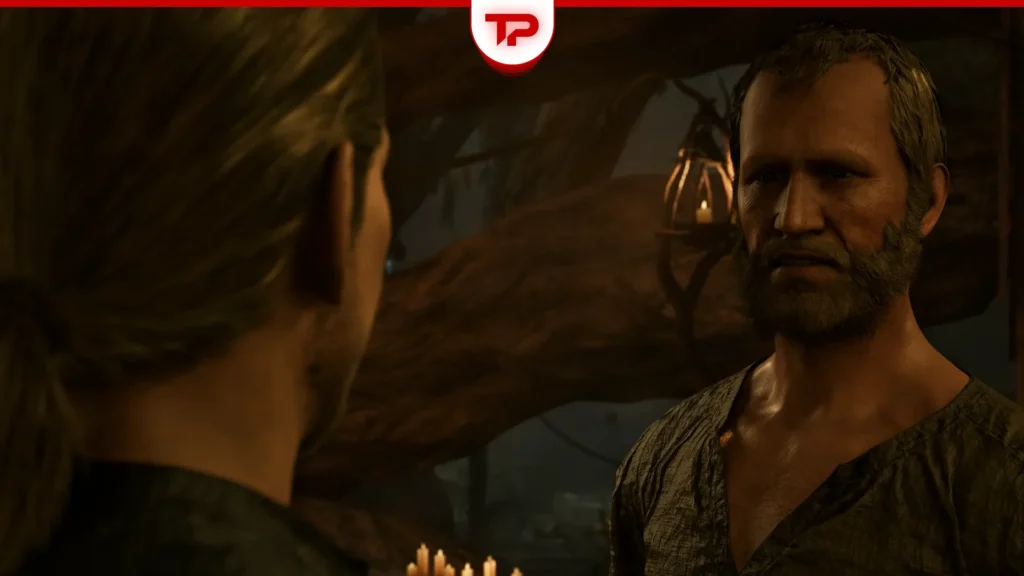
TposeGaming’s July update describes a dialogue freeze involving Melvin during Swamp Camp recruitment. The page reports that a hotfix addressed the conversation-camera problem.
Treat that report as historical patch information. Start by checking your platform’s available updates and preserve a save before important conversations.
- Record your installed build when reporting a recurring issue.
- Avoid assuming an old rollback remains necessary.
Identify the exact dialogue problem
Separate a conversation-camera freeze from an NPC who has no relevant dialogue option. The former is the historical issue described by the source; the latter may require checking quest progress instead. Note whether the camera stops, whether sound continues, and whether the menu remains usable. These observations describe the symptom without guessing its cause.
Record your platform and installed build before applying advice dated July. A later article date does not prove that every platform received the same correction at the same time. Check the update screen available on your platform and compare its release notes with the symptom you actually see.

Use a low-risk retest
Preserve a save made before speaking with Melvin, if you have one, and keep your newest progress separate. That gives you a consistent starting point for a retest without immediately discarding later work. Do not overwrite every available checkpoint while repeatedly trying a dialogue that is already failing.
Install an available official game update through the normal platform process, then retry from the preserved checkpoint. Change only what is needed for that test. If you update the game, alter graphics settings and replace the save all at once, a different result will not tell you which change was relevant.
Observe the conversation until you reach the point that previously stopped. A successful launch or a moving character outside the conversation does not test the reported fault. Write down the last successful dialogue moment and whether the same freeze occurs again. If the conversation completes, verify the next journal objective before replacing the backup.
When an older workaround is not enough
Do not downgrade the game merely because an older discussion recommends it. This guide does not establish that an earlier build is compatible with your current save, nor that a rollback remains necessary. An official support route is preferable to downloading an unknown executable or replacing game files with an unverified patch.
A useful recurring-bug report includes the build, platform, quest stage, exact symptom and whether an earlier checkpoint reproduces it. Describe the July fix as historical context rather than proof that your current problem cannot exist. No local playtest has confirmed a universal repair, so retain the evidence instead of treating a failed suggestion as a failed playthrough.
Source and scope
Game-specific route notes: Gothic Remake Melvin Bug Fixed in 1.0.3 Hotfix. Additional planning and troubleshooting advice is GameThrum editorial guidance. This is not a firsthand gameplay review.


